For advertising & marketing agencies
Monitor client markets. Catch what breaks. Keep the proof.
Catch the broken render before the next spend cycle. The verify URL is what you keep after you detect it.
Free trial · up to 20 observations · 14 days · no credit card
Daily use is performance protection: the right hero, price, and offer actually showing in each market. Slack screenshots and a VPN do not catch the next break.
After you catch it, keep the proof. Viewtrace stores URL, timestamp, and an integrity check so account teams can reopen, diff, and share—Monitor → Detect → Prove.
Where agencies lose hours (and trust)
“It looked fine to me”
Your team is in the US; the campaign runs in the UK, DE, or JP. A local VPN gives a picture, not a record you can stand behind in a QBR.
Screenshots scattered across channels
Proof lives in DMs, decks, and someone's desktop. When a client escalates, nobody can find the version that was actually live.
No timeline when things change
A price or hero swaps silently. Without dated, repeatable captures, you can't show when it changed—or that you caught it.
What Viewtrace gives your account teams
Geo-routed captures, not desktop grabs
Pick the country or US state and observe how the page rendered from that vantage point—tied to the exact URL.
Tamper-evident proof
Each observation carries a timestamp and integrity check, so “this is what showed, when” holds up under scrutiny.
Landing-page proof after the click
Ad-screenshot tools prove the creative ran. Viewtrace proves what the landing page actually rendered in that geo—timestamped, with a verify URL and JSON metadata clients can keep.
One trail per market, shared across the team
Observations live in a shared workspace, so media, account, and creative all open the same source of truth.
What your team sees
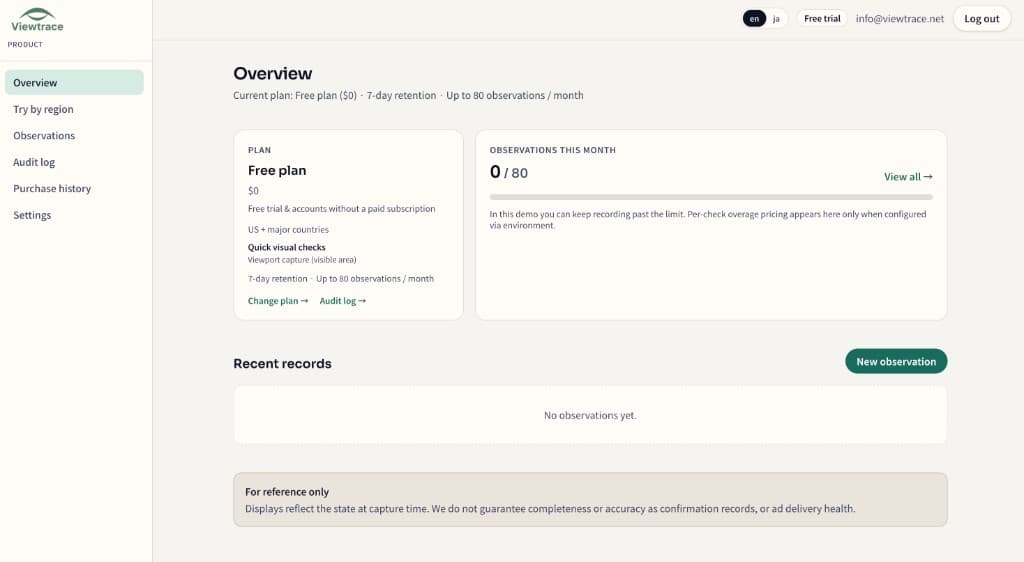
How it works
- 1
Pick your region
Choose the country or state you want to observe from—so the capture matches what real users in that market see.
- 2
Run an observation
Enter the URL and Viewtrace captures how the page rendered from that vantage point.
- 3
Save with metadata
Every capture is stored with its URL, timestamp, and region, so it still makes sense weeks later.
- 4
Compare or schedule
Diff runs over time, or schedule reruns with email digests to catch visual drift (Starter / Pro).
Agency FAQ
- How is this different from a VPN or proxy screenshot?
- A VPN changes the view but rarely leaves a durable, shareable trail. Viewtrace routes from the region you pick and saves the URL, timestamp, and an integrity check with every capture—so it still holds up when a client asks weeks later.
- Can I show clients the proof without giving them a login?
- Yes. Each observation can produce a verify URL and a PDF report your client can open directly, without an account.
- Which regions can I capture from?
- You choose the vantage point per observation, including US states and countries. Available regions are shown when you set up a run.
- Can I white-label or export for reporting?
- Print-ready reports and exports are available (Pro) for reviews, approvals, and QBRs. Verify URLs carry light Viewtrace branding that also helps referrals.
- Do you charge per client or per seat?
- Plans are based on observation volume and retention, not per client—see pricing. Start free with up to 20 observations, no credit card.
Give your next client review a trail, not a screenshot
Start free and capture your first geo-routed proof in minutes. No credit card, up to 20 observations.