
For performance & paid media agencies
Monitor every market. Catch what breaks. Keep the proof.
Daily use is catching the next geo LP failure. Proof is the last step—not a separate product.
Free trial · up to 20 observations · 14 days · no credit card
You buy it to stop future loss: a broken hero, geo-blocked offer, or stale price while spend keeps flowing. That is detection.
After you catch it, keep the proof. Each observation stores URL, region, timestamp, and an integrity check. Verify URLs and PDFs are step three in one story: Monitor → Detect → Prove.
Where paid budgets leak silently
The LP breaks only in-market
It renders fine from your desk, but a geo-gated script, currency, or consent wall changes what real users in the target region actually see.
Offer or price mismatch by geo
The ad promises one thing; the localized page shows another. You find out from a client's angry email, not your dashboard.
No proof when a test tanks
CVR drops and everyone blames the creative. Without dated captures of the page per region, you can't isolate what actually changed.
Monitor → Detect → Prove
Monitor every market
Capture how the exact landing URL rendered from the country or US state you're driving traffic to.
Catch what breaks
Scheduled reruns with email digests flag visual changes—so you catch a broken geo before the next spend cycle (Starter / Pro).
Keep the proof
Verify URLs and PDF reports turn the capture you already caught into something you can attach to the account.
Repeat the same check
Re-run the same URL from the same region and keep a dated history to validate fixes and rollouts.
What your team sees
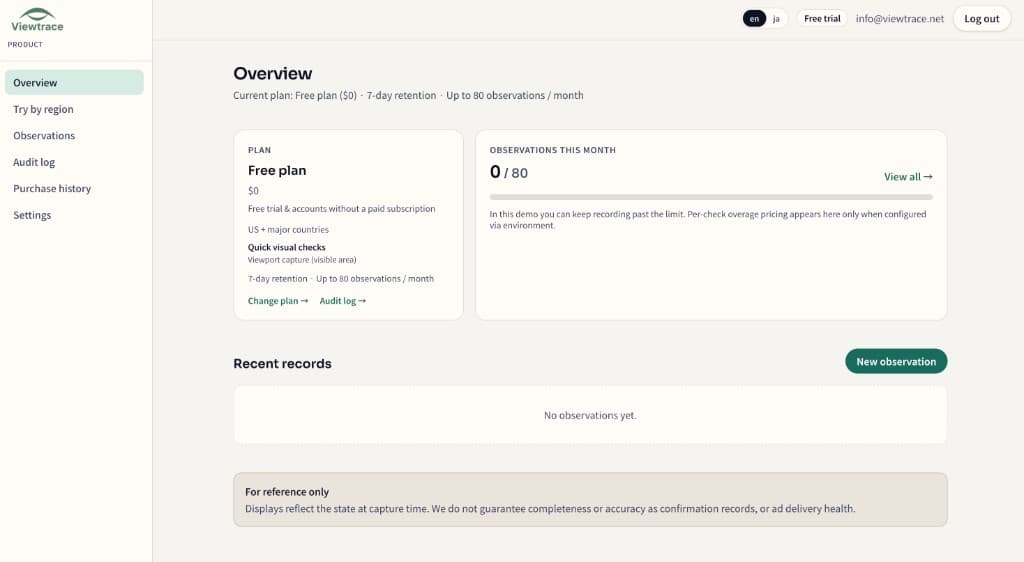
How it works
- 1
Pick your region
Choose the country or state you want to observe from—so the capture matches what real users in that market see.
- 2
Run an observation
Enter the URL and Viewtrace captures how the page rendered from that vantage point.
- 3
Save with metadata
Every capture is stored with its URL, timestamp, and region, so it still makes sense weeks later.
- 4
Compare or schedule
Diff runs over time, or schedule reruns with email digests to catch visual drift (Starter / Pro).
Performance agency FAQ
- Does Viewtrace check whether my tag or pixel fired?
- It focuses on what actually rendered—hero, price, offer, legal line—from a given region. It's visual proof of the landing experience, complementary to tag-firing analytics, not a replacement.
- Can it alert me when a landing page changes?
- Yes. Scheduled reruns with email digests flag meaningful visual drift, so you notice a broken geo before it eats another spend cycle (Starter / Pro).
- Can I verify a competitor's or a client's geo-gated page?
- You can observe any public URL from the region you choose, subject to acceptable use. It's ideal for confirming your own client LPs render correctly in-market.
- How fast can I get a capture?
- Pick the region, enter the URL, and run an observation from your dashboard—no extension or local proxy needed.
- What does it cost to start?
- Free trial with up to 20 observations and no credit card. Paid plans scale with observation volume, retention, and scheduling—see pricing.
Catch the next break. Keep the proof.
Start free and monitor your first buying-region landing page in minutes. No credit card, up to 20 observations.