

Viewtrace
English
Back to home

Guide

Ad verification tool: show what the creative looked like in-market

An ad verification tool for modern teams is not just “did the tag fire?”—it is often “did the right hero, price, or legal line render for that geo?” Viewtrace captures the rendered page from the region you specify.

Pair captures with history and optional email alerts when the visual changes meaningfully, so account and media teams can answer client questions with evidence instead of anecdotes.
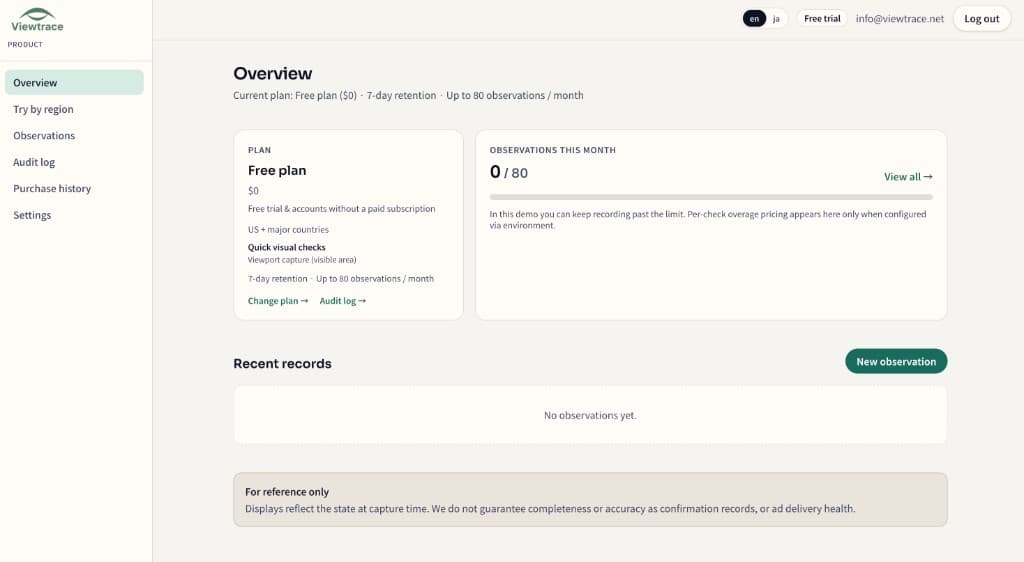
See it in your dashboard

See it in your dashboard — Ad verification tool: show what the creative looked like in-market
Recent observations with URL, region, timestamp, and status—kept together in your workspace.

How it works

How it works — Ad verification tool: show what the creative looked like in-market
  1. 1

    Pick your region

    Choose the country or state you want to observe from—so the capture matches what real users in that market see.

  2. 2

    Run an observation

    Enter the URL and Viewtrace captures how the page rendered from that vantage point.

  3. 3

    Save with metadata

    Every capture is stored with its URL, timestamp, and region, so it still makes sense weeks later.

  4. 4

    Compare or schedule

    Diff runs over time, or schedule reruns with email digests to catch visual drift (Starter / Pro).

Frequently asked questions

Does Viewtrace check whether my ad tag fired?
It focuses on what actually rendered—hero, price, or legal line—from a given region. It is visual proof, not tag-firing analytics.
Can I be alerted when a landing page changes?
Yes. Scheduled reruns with email digests flag meaningful visual drift so you notice before a client does.
Can I share the proof with clients?
Yes. Reopen and export captures to attach to reviews and approvals.

Related topics