

Viewtrace
English
Back to home

Guide

Geo screenshot tool, built for evidence—not disposable captures

Teams searching for a geo screenshot tool usually need more than a PNG: they need to show what a page looked like from a specific country or state, at a specific time, with the same URL their users hit.

Viewtrace is not a generic browser extension. You pick the region (for example a US state or a country), run an observation, and we store a timestamped visual record you can reopen, compare, and share when accountability questions arrive.
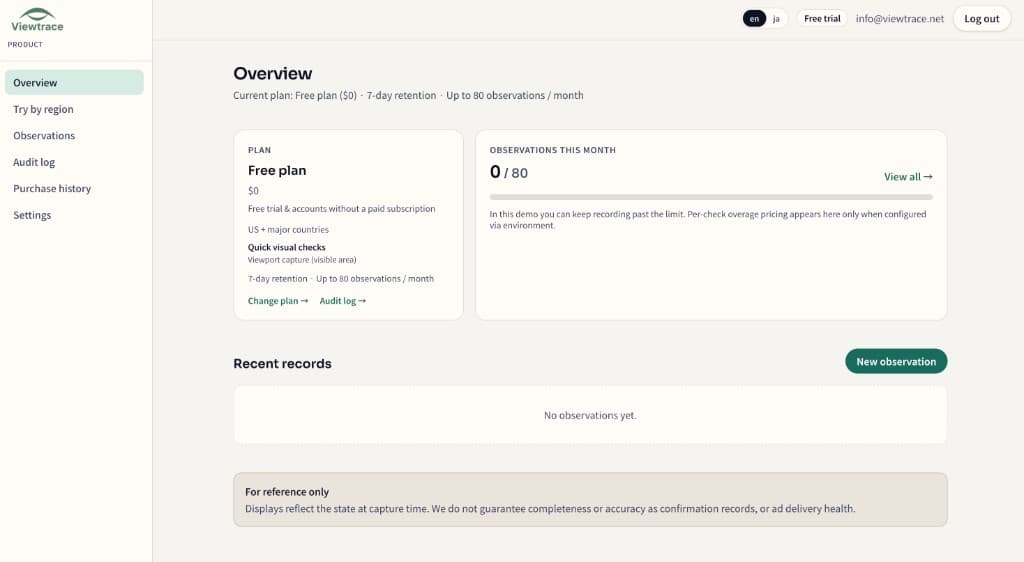
See it in your dashboard

See it in your dashboard — Geo screenshot tool, built for evidence—not disposable captures
Recent observations with URL, region, timestamp, and status—kept together in your workspace.

How it works

How it works — Geo screenshot tool, built for evidence—not disposable captures
  1. 1

    Pick your region

    Choose the country or state you want to observe from—so the capture matches what real users in that market see.

  2. 2

    Run an observation

    Enter the URL and Viewtrace captures how the page rendered from that vantage point.

  3. 3

    Save with metadata

    Every capture is stored with its URL, timestamp, and region, so it still makes sense weeks later.

  4. 4

    Compare or schedule

    Diff runs over time, or schedule reruns with email digests to catch visual drift (Starter / Pro).

Frequently asked questions

How is this different from taking a screenshot behind a VPN?
A VPN changes your exit IP but rarely stores the URL, timestamp, and region together. Viewtrace routes from the region you pick and saves a replayable record you can reopen and compare later.
Can I capture from a specific US state or country?
Yes. You choose the vantage point when you start an observation, and the capture is tied to that region.
Do captures stay available after a campaign ends?
Yes. Captures are stored in your workspace with history, so you can revisit or diff them later.

Related topics