
Viewtrace
English
Back to home

Guide

Localized QA without losing the thread between markets

Localized QA breaks when every market uses a different folder naming scheme or a different moment in time. Viewtrace standardizes what you save: the URL, the vantage point, and when you fetched it.

That shared structure is what lets distributed teams build shared truth—everyone opens the same observation, not ten versions of screenshot-final-v2.
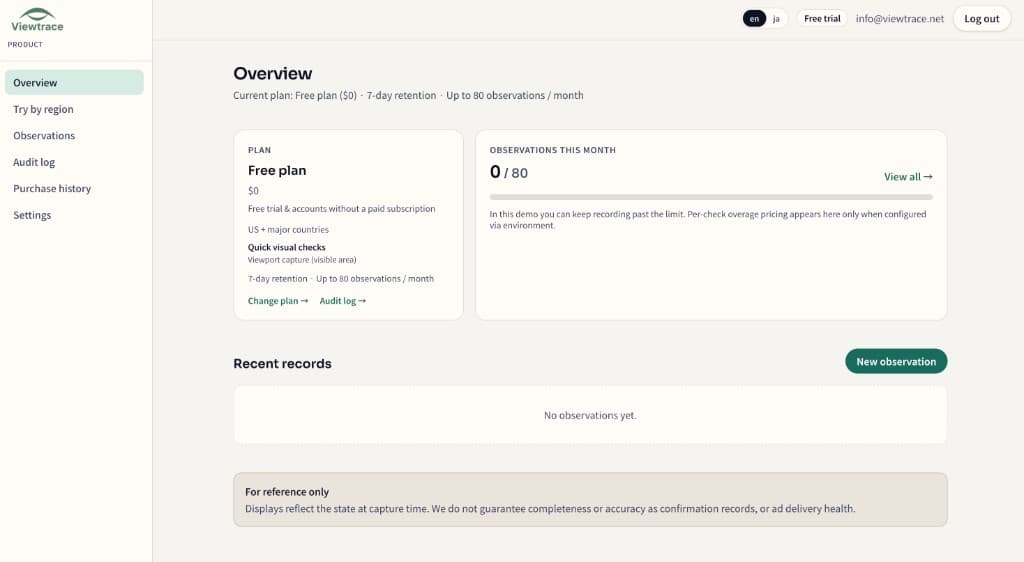
See it in your dashboard

See it in your dashboard — Localized QA without losing the thread between markets
Recent observations with URL, region, timestamp, and status—kept together in your workspace.

How it works

How it works — Localized QA without losing the thread between markets
  1. 1

    Pick your region

    Choose the country or state you want to observe from—so the capture matches what real users in that market see.

  2. 2

    Run an observation

    Enter the URL and Viewtrace captures how the page rendered from that vantage point.

  3. 3

    Save with metadata

    Every capture is stored with its URL, timestamp, and region, so it still makes sense weeks later.

  4. 4

    Compare or schedule

    Diff runs over time, or schedule reruns with email digests to catch visual drift (Starter / Pro).

Frequently asked questions

How does this help across many markets?
Every market saves the same record shape—URL, region, and time—so teams compare like-for-like instead of scattered screenshots.
Can product and marketing see the same records?
Yes. Observations live in a shared workspace so everyone opens the same source of truth.
Can I schedule checks per region?
Yes, on Starter and Pro, with email digests summarizing each run.

Related topics