

Viewtrace
English
Back to home

Guide

How to check a website from another country (and prove what you saw)

The short answer: use a geo-routed fetch from the country or state you care about, then save the result with metadata you can revisit. VPNs alone rarely give you a durable audit trail.

With Viewtrace you choose the observation region, run the check from your dashboard, and get a saved record with URL, time, and vantage point—so “how we checked it” is obvious to anyone who was not in the room.
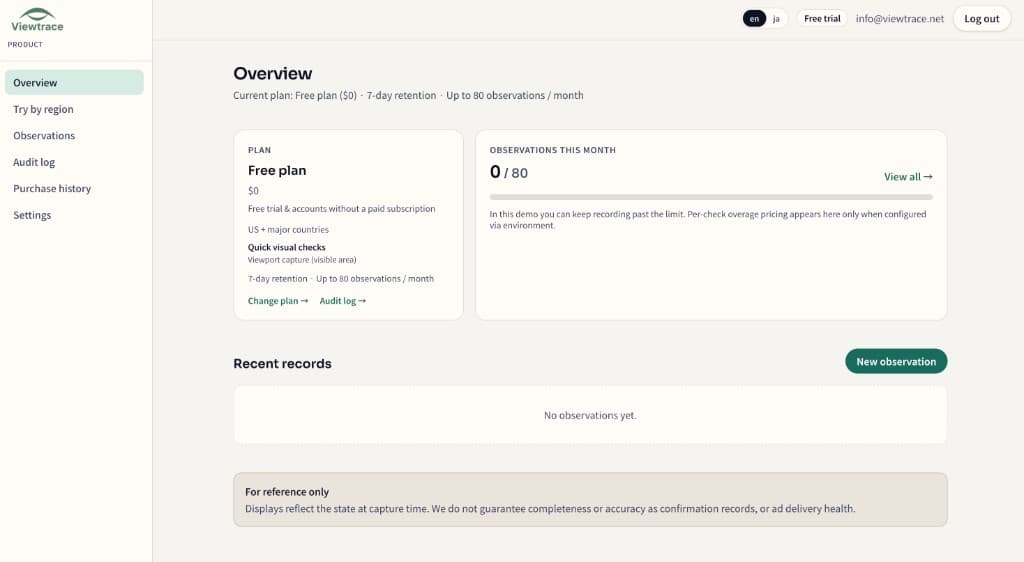
See it in your dashboard

See it in your dashboard — How to check a website from another country (and prove what you saw)
Recent observations with URL, region, timestamp, and status—kept together in your workspace.

How it works

How it works — How to check a website from another country (and prove what you saw)
  1. 1

    Pick your region

    Choose the country or state you want to observe from—so the capture matches what real users in that market see.

  2. 2

    Run an observation

    Enter the URL and Viewtrace captures how the page rendered from that vantage point.

  3. 3

    Save with metadata

    Every capture is stored with its URL, timestamp, and region, so it still makes sense weeks later.

  4. 4

    Compare or schedule

    Diff runs over time, or schedule reruns with email digests to catch visual drift (Starter / Pro).

Frequently asked questions

What is the quickest way to check?
Pick the country or state, run an observation on the URL, and save the timestamped capture from your dashboard.
Isn't a VPN enough?
A VPN can change the view but rarely leaves a durable, shareable trail. Viewtrace stores the URL, time, and region with each capture.
Do I need to install anything?
No. You run checks from your dashboard in the browser—no extension or local proxy required.

Related topics