

Viewtrace
English
Back to home

Guide

Website screenshot from another country—with a defensible trail

If you only need a one-off image, many proxies can help. If you need a website screenshot from another country that still makes sense next month—when a client asks “what did we actually show in-market?”—you want the capture tied to URL, region, and timestamp.

Viewtrace records how the page rendered from the vantage point you chose, keeps history in your workspace, and supports scheduled runs so you are not re‑inventing the same proof every week.
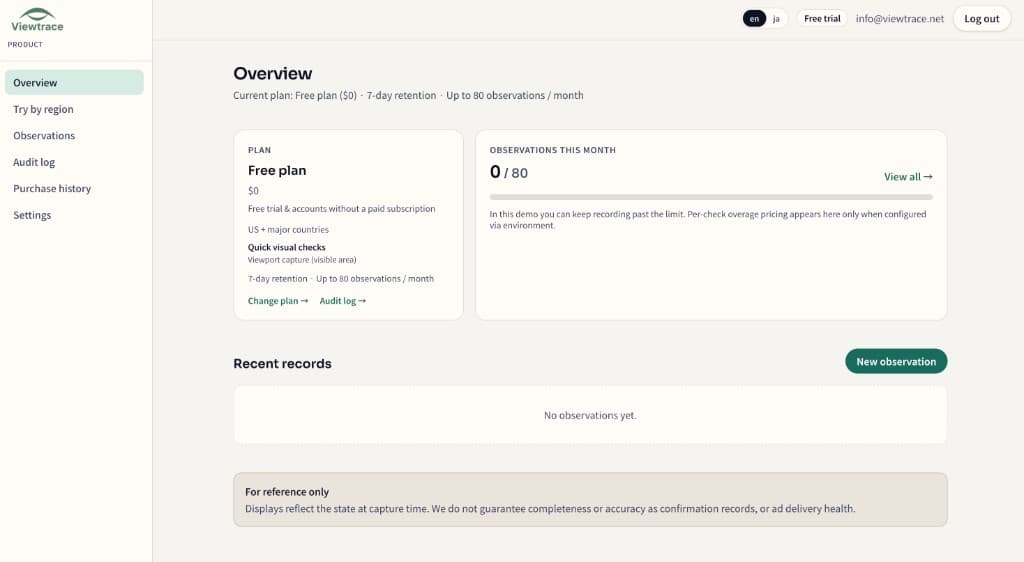
See it in your dashboard

See it in your dashboard — Website screenshot from another country—with a defensible trail
Recent observations with URL, region, timestamp, and status—kept together in your workspace.

How it works

How it works — Website screenshot from another country—with a defensible trail
  1. 1

    Pick your region

    Choose the country or state you want to observe from—so the capture matches what real users in that market see.

  2. 2

    Run an observation

    Enter the URL and Viewtrace captures how the page rendered from that vantage point.

  3. 3

    Save with metadata

    Every capture is stored with its URL, timestamp, and region, so it still makes sense weeks later.

  4. 4

    Compare or schedule

    Diff runs over time, or schedule reruns with email digests to catch visual drift (Starter / Pro).

Frequently asked questions

Why not just use a proxy for a one-off image?
A proxy gives you a picture, not a defensible trail. Viewtrace pairs the image with URL, region, and timestamp so it still makes sense months later.
Can I re-check the same page later?
Yes. Re-run the same URL from the same country and keep a timeline of how it changed.
How do I choose which country to view from?
You pick the vantage point per observation from your dashboard; available regions are shown when you set up the run.

Related topics